
Break down big work
A piece of work with twenty steps should stay one tile on the board. That is what subtasks and the zoom view are for.
Create subtasks
- Open the task.
- Click Subtask in the sidebar.
- Enter the title and confirm.
The tile on the board now shows the next steps and a ring with the progress, for example 1/4. A subtask can have subtasks of its own. There is no limit to the depth.
Arrange them in the zoom view
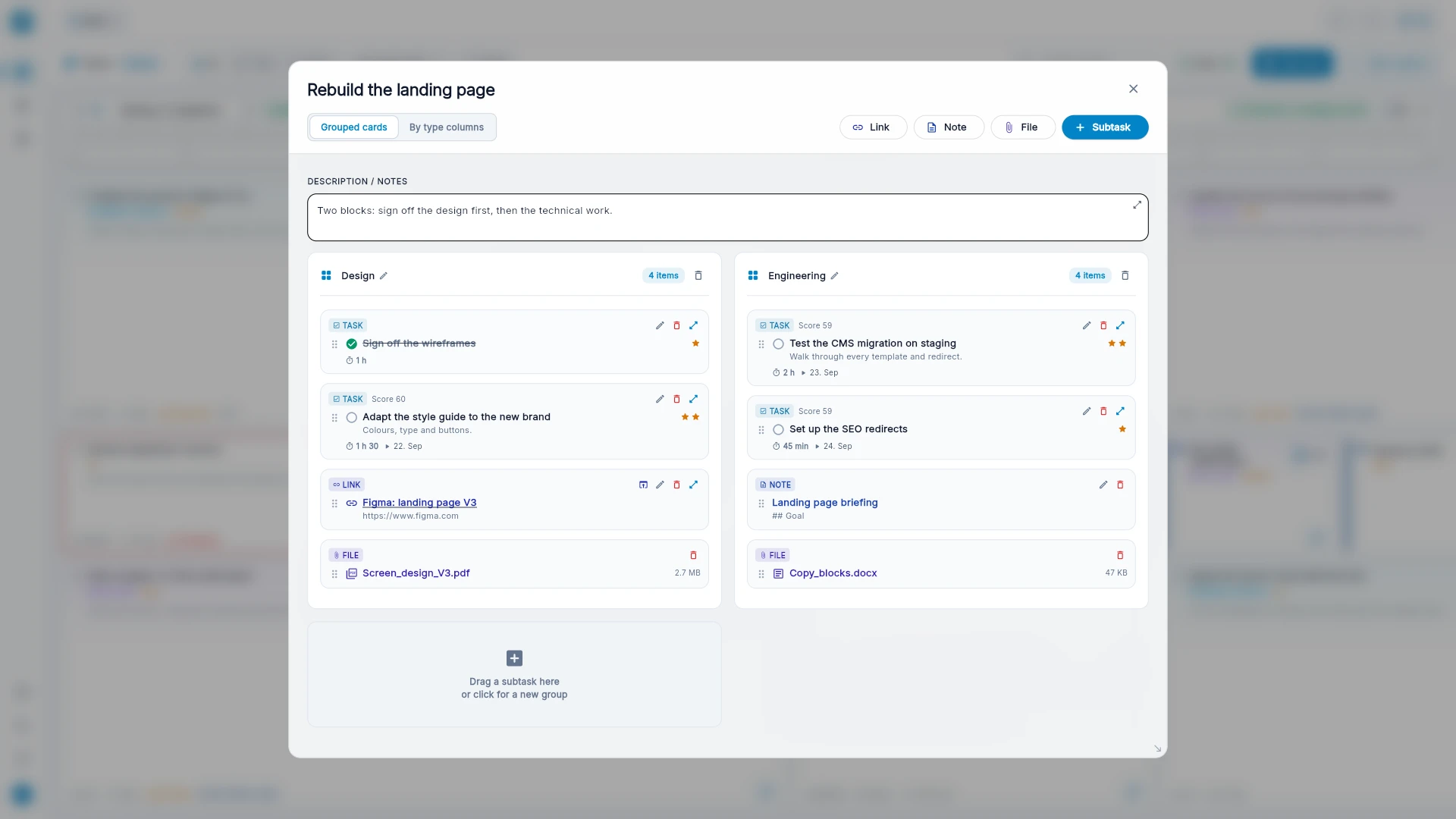
- Click the arrow at the bottom right of the tile, or Open in zoom view in the sidebar.
- Create groups with New group, for example "Design" and "Engineering".
- Drag subtasks into the groups, and into the right order within a group.
- Create new subtasks right at the place where they belong.
Groups are order only. They change nothing about the ranking on the board.
The zoom view has two layouts: Grouped cards and By type columns. The second sorts the content into tasks, notes, links and files.
Every subtask can be opened from here in turn. "Back to …" at the top goes one level up.
What the tile makes of it
The ranking. The tile sits where its most important open step would sit. If one subtask is due tomorrow, the whole piece of work is at the top. The card "Why this is here" says so: "Comes from the subtask …".
Inheritance. A subtask without its own deadline takes the one of its parent. The same goes for "Work on" and for "Paused". For stars, the higher value counts.
The effort. The tile shows two times: the next step, and the sum of all open steps. Daily capacity uses the next step. Otherwise twenty hours of work would count as "does not fit" every day, although you only want to spend one hour on it today.
If the parent task has an effort of its own and then gets subtasks with effort, Aevo asks whether to remove the parent's effort. Otherwise the time would be counted twice.
Finishing
When you tick off the last subtask, Aevo asks: "Complete the task as well?" When you tick off the parent while subtasks are still open, Aevo asks whether to complete those too.
Try it
- Create a task "Moving house" and give it four subtasks.
- Open the zoom view and spread them over two groups.
- Give one subtask the deadline tomorrow. Close the zoom view and see where "Moving house" sits now.
- Open the card "Why this is here".