
Notes, files, comments
A task often comes with material: minutes, a PDF, a link. Aevo keeps material and work apart. Notes, links and files have no score and never push to the front on the board.
Notes
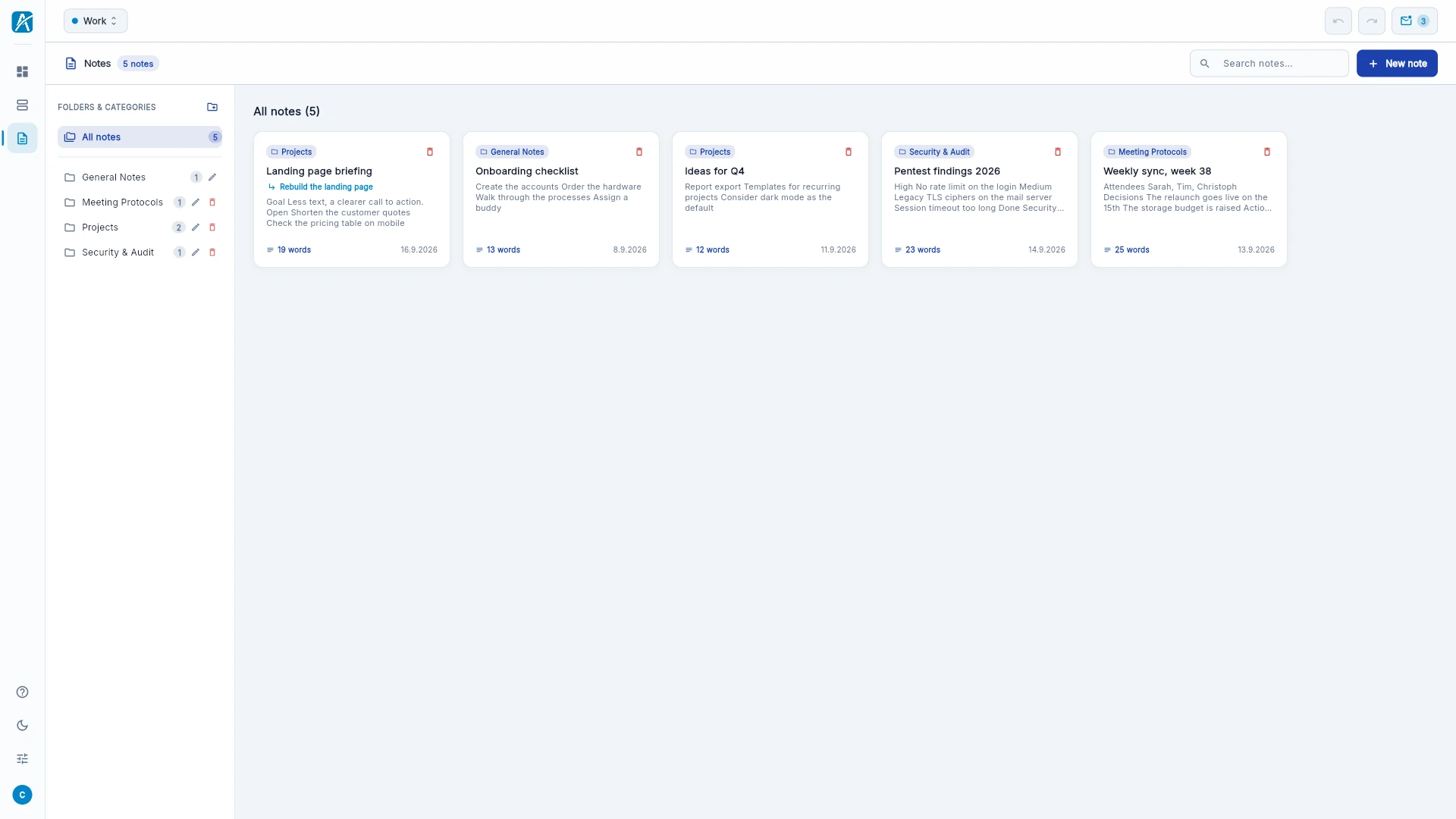
- Open Notes on the left.
- Click New note.
- Write. The note is saved as you type.
The editor does headings, bold, italic, underline, strikethrough, code, lists, numbered lists, checklists, callouts, links and images. Shortcuts are faster: # and a space for a heading, - for a list, [] for a checklist, Ctrl+B, Ctrl+I and Ctrl+K for bold, italic and link (Mac: Cmd).
Folders. Create folders with "New folder" on the left and drag notes into them. If you delete a folder, its notes are kept and move to the general folder.
Attach to a task. Choose "Attach to task…" in the editor. The note is then reachable from the task's sidebar. A note without a task is a "Standalone note".
You can also create a note right inside a task: in the zoom view via "Subtask" and the type Note.
Files
Part of Pro.
- Open the task.
- Click Attach file and choose the file.
Faster: drag the file from your desktop onto the tile, onto a row in the list, into the sidebar or into the zoom view.
Allowed are images (PNG, JPG, WebP, GIF), PDF, Word, Excel, PowerPoint, TXT, Markdown, CSV, JSON and ZIP, up to 10 MB per file. Images and PDFs open in a preview; everything else you download.
Links
A link is material on a task: a title and an address. You create it in the sidebar or in the zoom view of the task. A click opens it in the browser.
Comments
Part of Pro.
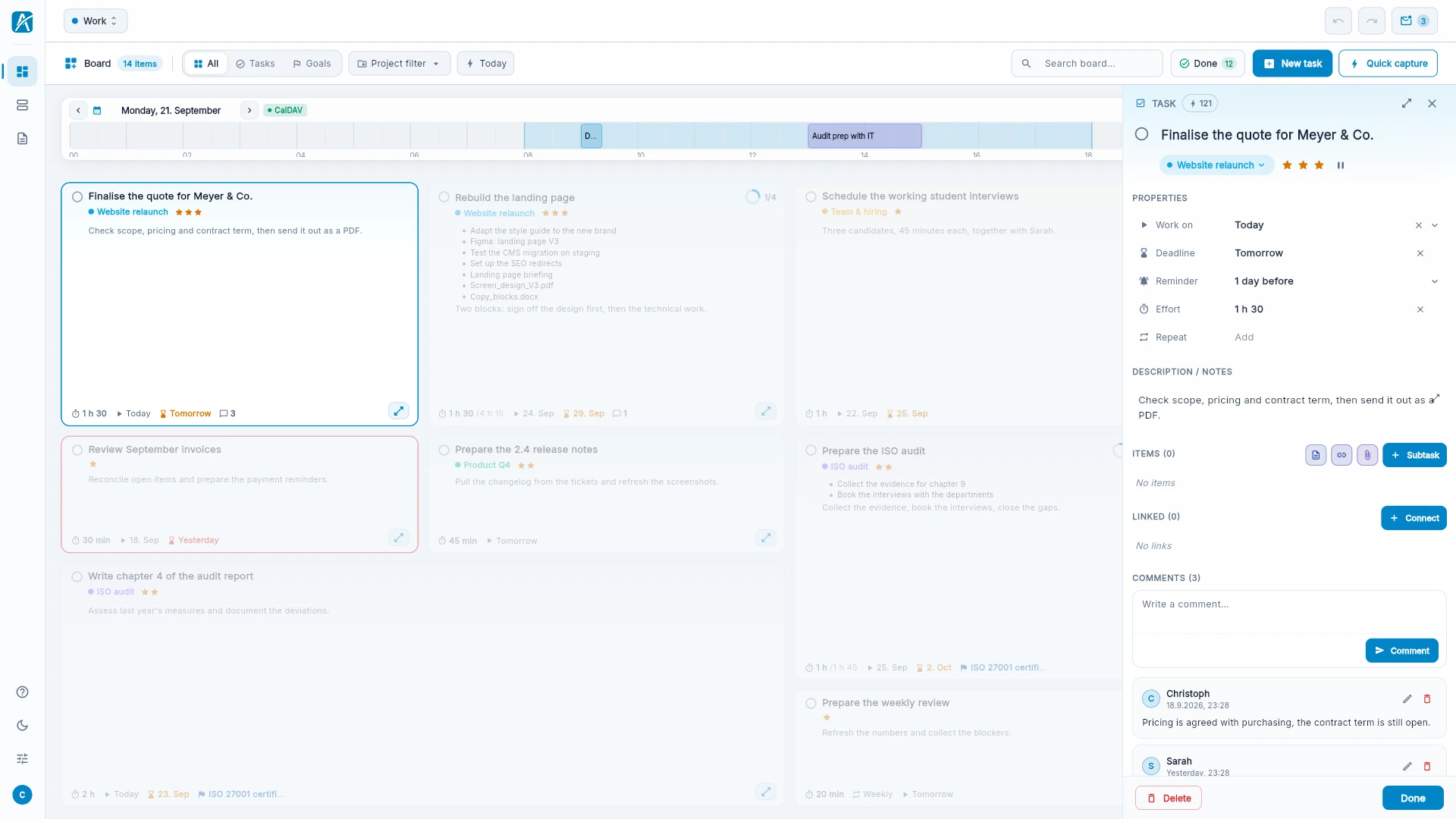
- Open the task.
- Write into the field "Write a comment…" at the bottom of the sidebar and click Comment.
Comments suit the history of a task: what was discussed, what is still missing. You can edit and delete them and reverse their order.
Link items
Two items can be linked independently of subtasks.
- Open the task.
- Under "Linked" choose another item and the relation.
| Relation | Meaning |
|---|---|
| Related | belongs together in content |
| Blocks | the other item waits until this one is done |
| Waits for | this item waits until the other one is done |
Links are references. They do not change the ranking on the board.