
The idea
A task list asks you two questions. What needs doing? And in which order? You answer the first one once. The second you answer again every morning, and the answer is out of date as soon as a meeting is added or a day goes by.
Aevo takes the second question off you. For each task you say what you already know:
- when it has to be finished (the deadline),
- when you want to work on it (Work on),
- how important it is (up to three stars),
- how long it takes (the effort).
The order follows from that, new every day.
What you get
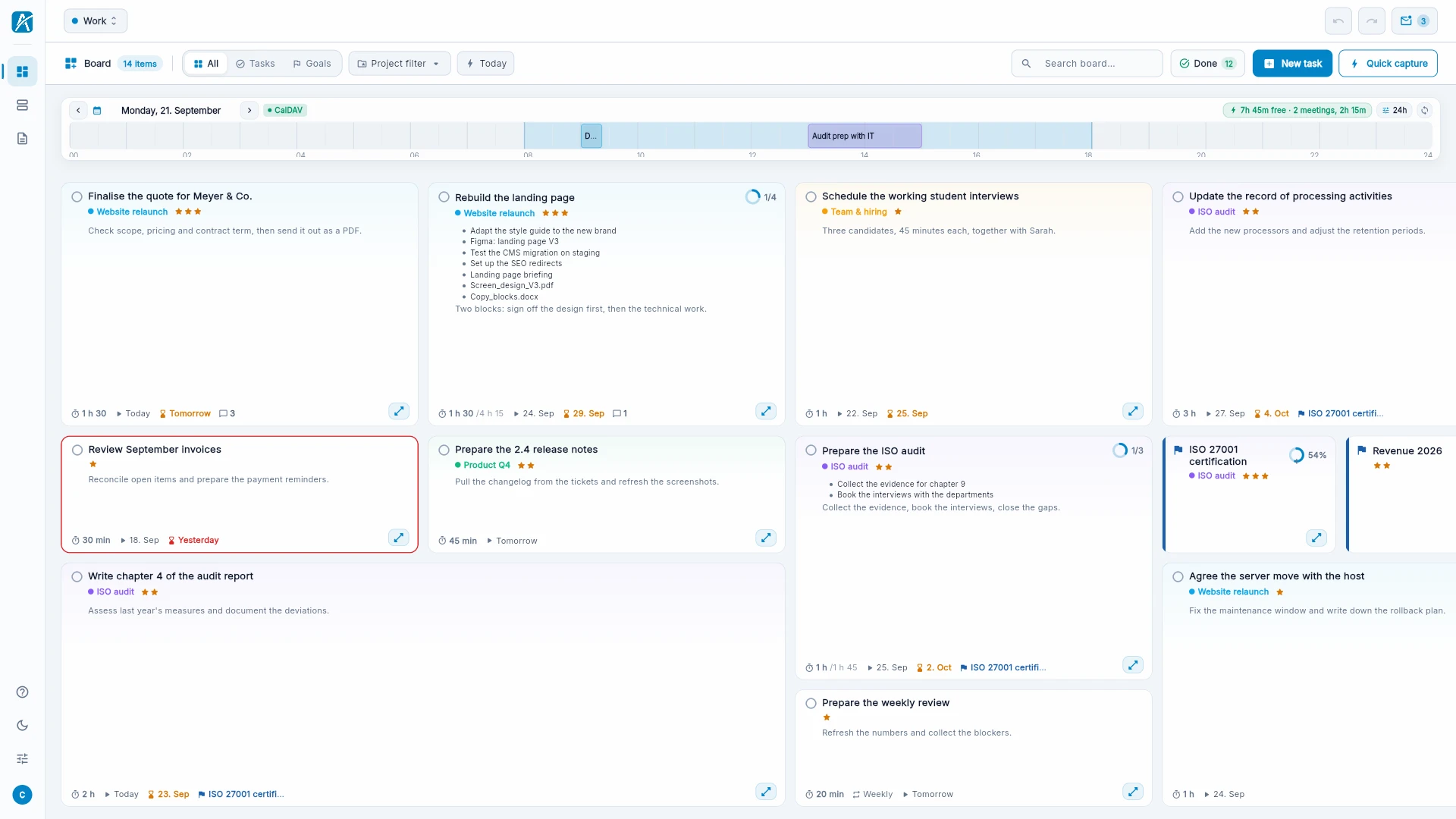
What matters is visible at once. The board shows every task as a tile. What is important now sits at the top left. The longer a task takes, the larger its tile. You see rank and size without reading.
Big work stays one tile. A task can have subtasks, and those can have their own, as deep as you like. On the board it stays one tile. The zoom view shows a single task large; there you arrange the steps in groups.
You see what still fits into today. Aevo subtracts your events from your working hours. The tasks that fit into the free time get an outline. The rest is too much for today, and you know that in the morning, not in the evening.
Why something is at the top
Every task has a number, the score. The board is ordered by it. Open a task and click the score, and the card "Why this is here" appears. It names the reasons: deadline in three days, two stars, postponed four times. The board sorts by exactly these reasons and by nothing else.
"Not now" is not always the same
A task you want to start next week is different from one that is waiting for a colleague. And both are different from a task you are putting off for the fourth time. Aevo has four separate ways for this. Postponing is counted: what you keep putting off moves up instead of disappearing.
Next
- Try it without an account: a ready-made example board, for seven days.
- Getting started: the board in five minutes.